
Part 2 of my personal-context blogging series: the practical workflow that turns recurring discussions into a reviewed WordPress draft.
Series/category: Practical AI Systems
Estimated reading time: 5 minutes
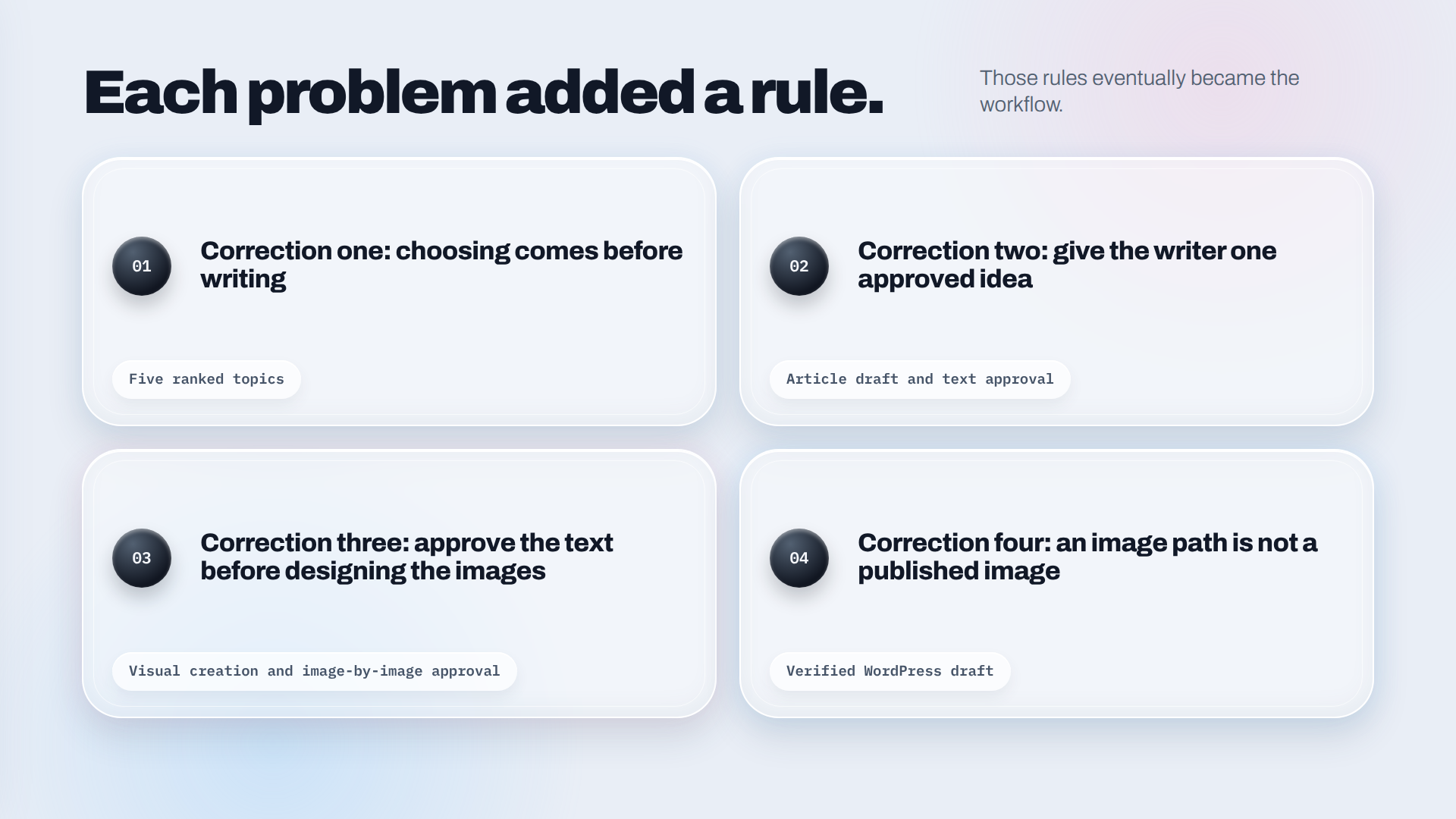
I didn’t build my blogging agent from a finished architecture diagram. I built it by correcting one frustrating behaviour at a time.
First, it started writing before I had chosen a topic. Then the article and its images arrived as separate pieces. Finally, WordPress couldn’t use the local image files that looked perfectly fine inside the project.
Each problem added a rule. Those rules eventually became the workflow.
The original goal was to find the pattern
I wasn’t short of possible subjects. My problem was seeing which ones were more than passing questions.
Across my AI discussions, I kept returning to certain areas: how agents differ from workflows, how context changes an AI system, how privacy should work and how technical ideas can be explained without making them shallow. Those connections were visible only when several conversations were considered together.
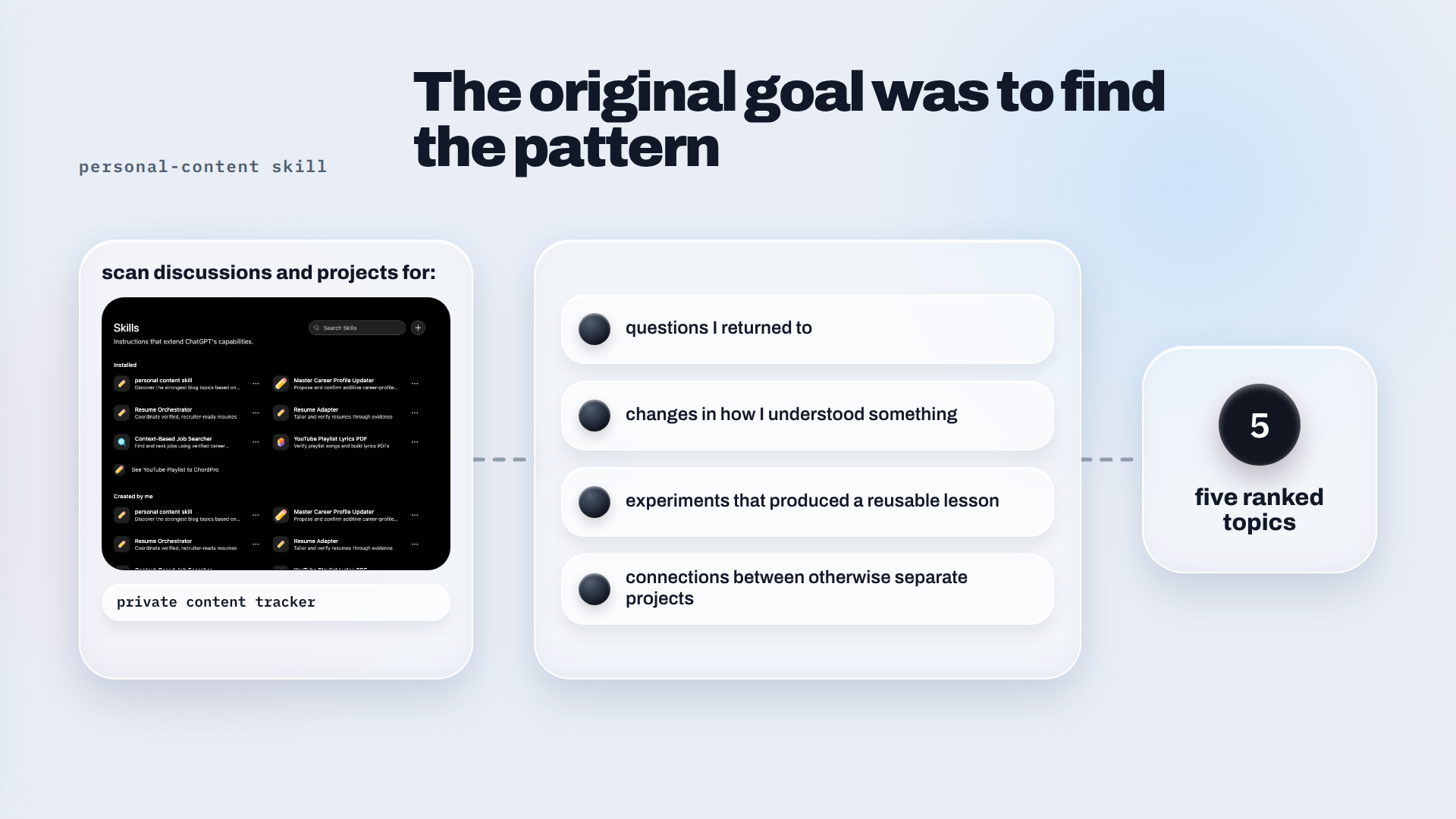
So the first component I created was a personal-content skill. Its job was to scan discussions and projects for:
- questions I returned to;
- changes in how I understood something;
- experiments that produced a reusable lesson;
- connections between otherwise separate projects.
It also checked a private content tracker containing proposed, selected, drafted and published ideas. Without that check, the same thought could return with a slightly different title and appear new.
The output was simple: five ranked topics.
Correction one: choosing comes before writing
The earliest pipeline made a basic mistake. It found an interesting topic and moved directly into writing it.
That sounds efficient until the system selects something I don’t want to develop. A repeated topic may be relevant without being ready. It may also be technically interesting but not represent what I currently want to say.
I changed the order:
Scan discussions → Present five topics → Stop → Let me chooseOnly after selection can the writing skill begin.
That is how this series started. The system identified personal-context blogging as a pattern worth exploring. I selected it, discussed the message I wanted readers to take from it and then asked for Part 1.
The reusable lesson is straightforward: topic discovery and topic approval are different jobs. AI can identify a pattern. The person has to decide whether it deserves a voice.
Correction two: give the writer one approved idea
Once a topic is selected, a separate writing skill receives that single direction.
I added constraints based on how I naturally explain technology: begin with a real question or frustration, use short paragraphs, move from a familiar problem into a useful mental model and keep most articles near a four-to-six-minute read. The article should sound like someone figuring things out in public, not a generic technology guide.
The writer also has a privacy rule. It can use private discussions to detect an interest, but it cannot copy private evidence into the article.
The transformation is:
Private discussion → recurring pattern → public insight
A private conversation might reveal that I repeatedly think about approval boundaries in AI systems. The public article can explain that design problem without exposing the conversation, the people involved or unrelated personal details.
This is also an accuracy check. AI can suggest that something is a pattern. I still have to confirm that the interpretation is true.
Correction three: approve the text before designing the images
The visual stage exposed a different problem. A polished image can still add very little.
Generic pictures of an AI brain, glowing nodes or floating documents may match the keywords, but they don’t necessarily explain the article. I wanted the visuals to show what I had actually built.
The workflow changed again:
- Finish and approve the article text.
- Identify the few places where a visual improves understanding.
- Show me the image plan before generating anything.
- Combine explanatory graphics with privacy-safe project screenshots.
- Review every final image independently.
The image creator cannot rewrite the approved prose. Its job is to add a hero, useful diagrams and captions in the right places. When a screenshot is used, sensitive or unrelated information must be removed before it becomes part of the public article.
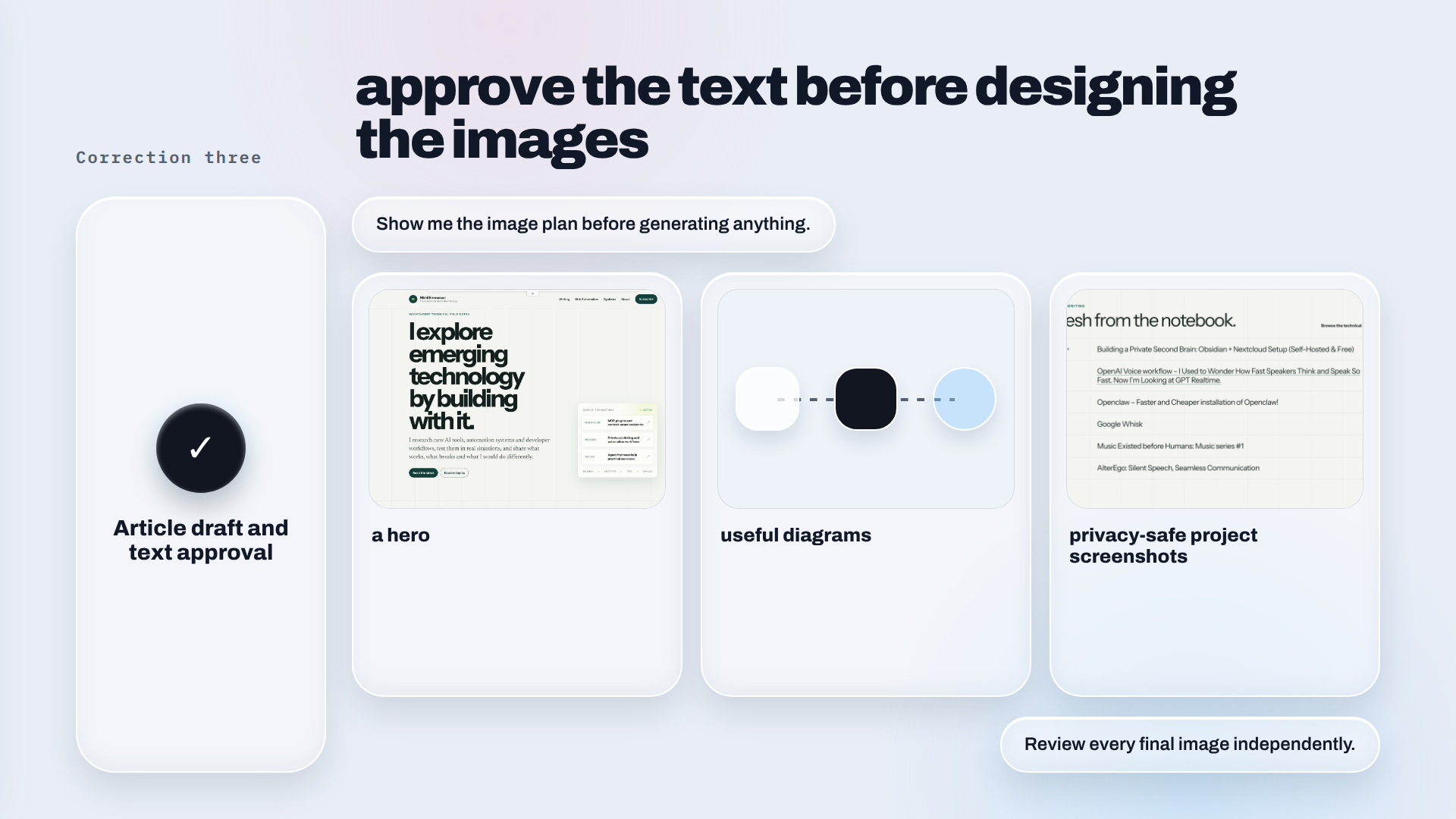
This made visual feedback much more precise. If one diagram is unclear, I can rework that diagram without reopening the article or regenerating every other asset.
Correction four: an image path is not a published image
The next failure happened during the handoff.
The Markdown referred to image files inside the project. That worked as a package, but WordPress could not publish those local paths. The files first had to be uploaded into the WordPress Media Library, and every reference had to be replaced with its hosted URL.
Regenerating the images inside WordPress wasn’t an acceptable shortcut. A regenerated image could differ from the one I had already reviewed and approved.
That problem led to a dedicated WordPress publishing step. It receives the approved article and exact images, uploads the media, converts the Markdown into clean post content, sets the hero as the featured image and creates a draft.
Then it reads the draft back and checks:
- whether every image and caption is present;
- whether the image URLs belong to WordPress;
- whether the featured image is set;
- whether the post is still a draft.
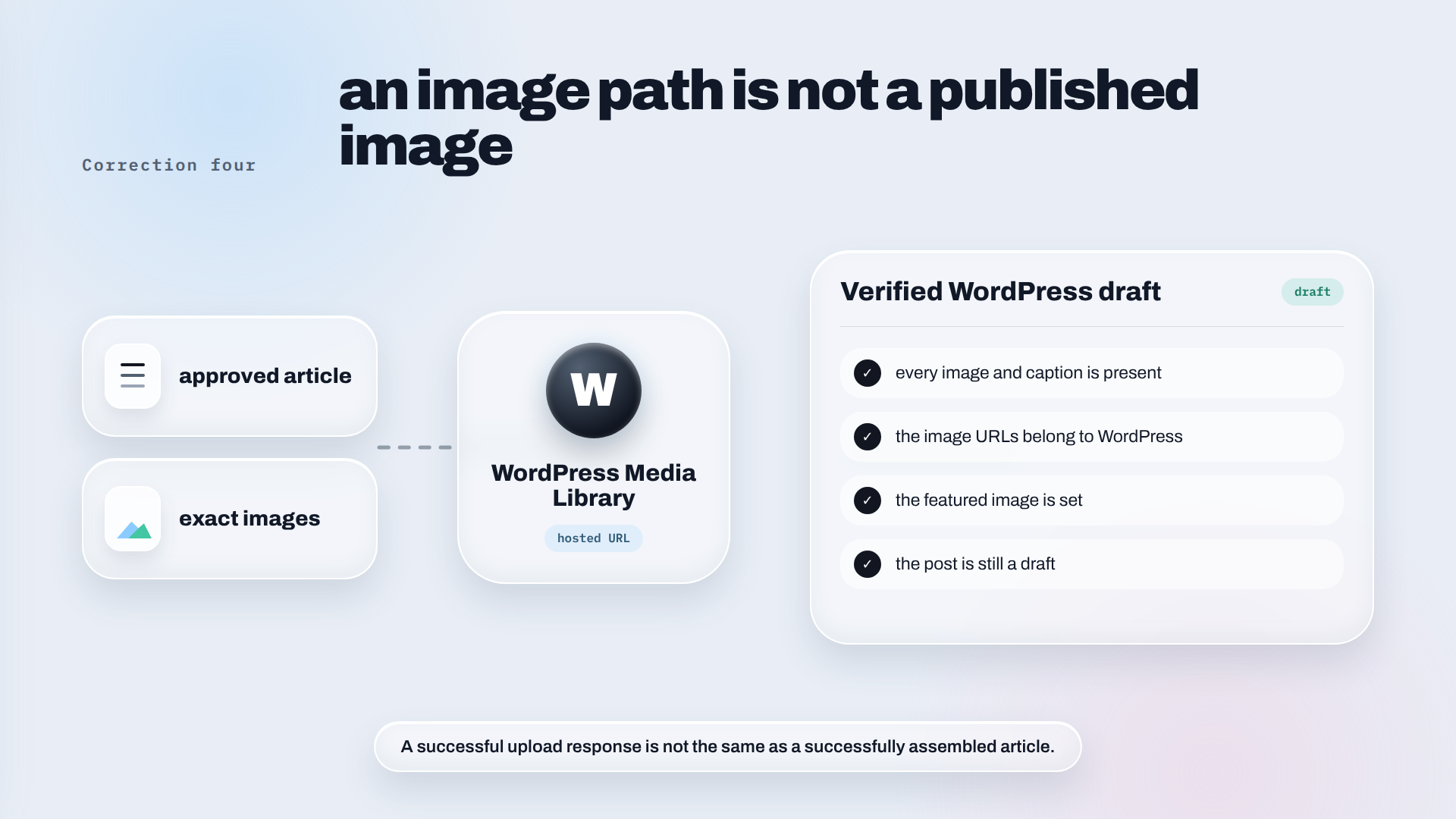
A successful upload response is not the same as a successfully assembled article. The final output has to be inspected.
The workflow I use now
The completed path looks like this:
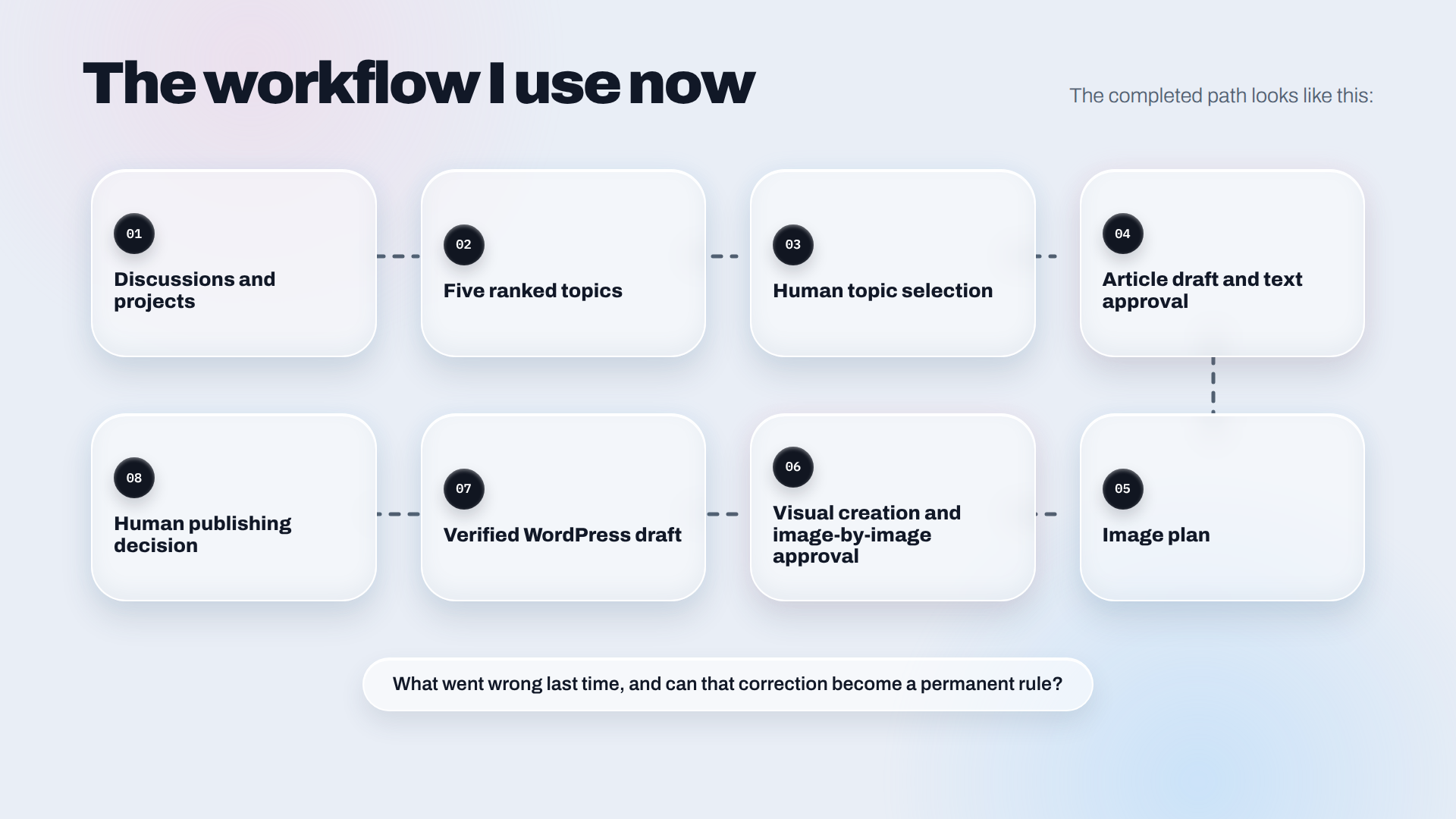
Discussions and projects
        ↓
Five ranked topics
        ↓
Human topic selection
        ↓
Article draft and text approval
        ↓
Image plan
        ↓
Visual creation and image-by-image approval
        ↓
Verified WordPress draft
        ↓
Human publishing decision
The system became better without becoming fully autonomous. Most of the improvement came from making each handoff explicit: what goes into a stage, what should come out and when the system must wait.
Part 1 asked, “What have I already been trying to say?”
Building the workflow added a second question:
What went wrong last time, and can that correction become a permanent rule?
That is how the blogging agent became useful—not through one perfect prompt, but through a process that learned how I wanted to work.
Discover more from Nikhil Emmanuel's Blog
Subscribe to get the latest posts sent to your email.