I used to wonder about people who respond instantly. You ask them something — they reply immediately with clear statements, without fluff. No awkward pause. No “umm.” No visible buffering.
And I always thought: Are they thinking faster than the rest of us? Is their brain just wired differently?
I used to wish I had that capability. Now we live in a time where maybe you don’t need to think faster. You can think alongside something that does.
Gentlemen, Let me introduce you to OpenAI’s Voice workflow – realtime.
So What Is the Realtime API?
https://developers.openai.com/api/docs/guides/realtime
The OpenAI Realtime API enables low-latency communication with models that natively support speech-to-speech interactions as well as multimodal inputs (audio, images, and text) and outputs (audio and text). These APIs can also be used for realtime audio transcription.
In simple terms: the Realtime API allows you to have live, streaming conversations with AI — where you speak, it responds immediately, and you can even interrupt it mid-sentence.
Not the old way:
Speak → wait → process → respond.
But instead:
Speak → it starts responding while you’re still in flow.
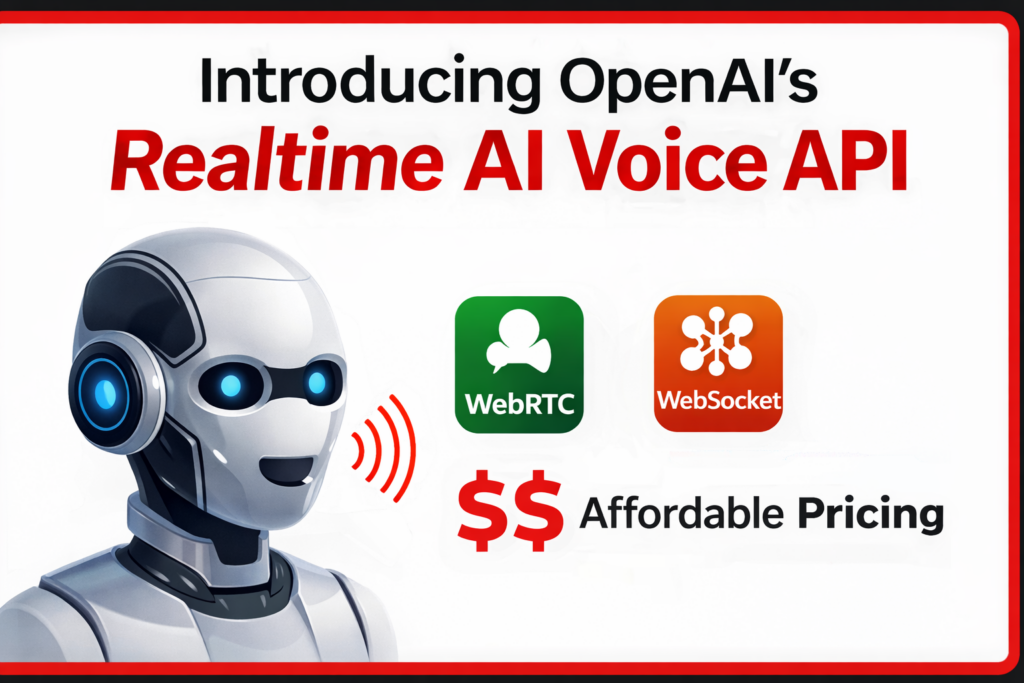
It uses persistent connections like:
- WebRTC — for real-time audio in the browser
- WebSocket — for real-time server communication
- SIP — for phone integrations (think call centers)
This isn’t just “voice mode.” This is conversational infrastructure.
Why Does This Matter?
Because earlier voice systems — even good ones — had that tiny delay. You’d speak. There would be a noticeable 1-second gap. Then the AI would respond.
And subconsciously, you knew: “Okay… I’m speaking to a machine.”
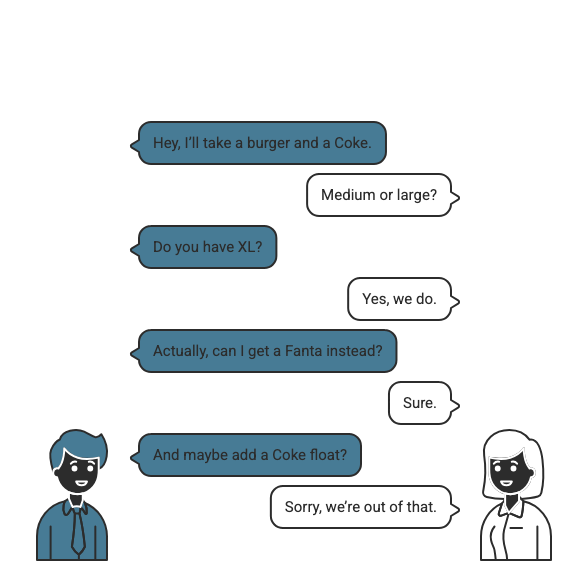
Imagine You’re at McDonald’s
You walk up to the counter. Notice something? There is no delay. They know the menu, know the stock, know the process, know what question to ask next. They are context-aware.
But How Does It Actually Work?
Here’s where it gets practical. The AI doesn’t magically know your business — you integrate it.
If you’re building voice agents, OpenAI recommends using the Agent SDK. That’s the fastest way to build a structured conversational agent with tool calling. Under the hood, you connect using one of three methods:
| Method | Best For |
|---|---|
| WebRTC | Browser-based voice experiences |
| WebSocket | Backend server integrations |
| SIP | Real phone call handling |
The key difference? This model is built for streaming interaction, not request/response chat. It maintains a session, handles interruptions, processes audio directly, and can call tools like your database, booking system, or internal APIs.
What Can You Connect It To?
- A booking platform
- A support desk
- A content agency
- A SaaS dashboard
Connect it to your internal systems and let it behave like a voice representative of your company. Just like that McDonald’s counter staff.
The Performance Numbers — What Do They Actually Mean?
You might see claims like 5% lift on BigBench Audio, 10%+ improvement on alphanumeric transcription, and 7% better instruction following. In real-world terms, this means:
Order IDs & Mixed Input
Understands mixed letters and numbers better — no more garbled order codes.
Instruction Following
Follows structured instructions more reliably — fewer “Sorry, I didn’t get that” moments.
Audio Reasoning
Performs better on complex audio reasoning — more natural, human-feeling interactions.
What About Pricing?
Let’s ground this in something practical. Roughly speaking:
| Type | Cost |
|---|---|
| User speech input | ~$0.06 / minute |
| AI speech output | ~$0.24 / minute |
A typical 5-minute conversation (2.5 min user + 2.5 min AI) comes to roughly $0.75 per interaction, plus token costs. Running 1,000 calls a month? Now you’re thinking like a founder — this is infrastructure-level decision making.
Why Not Just Use Regular ChatGPT Voice?
If you’re casually chatting, regular voice mode is fine. But if you’re building, you need a different set of capabilities:
Regular Voice Mode
- Great for personal chat
- No tool integration
- Request/response model
- No session management
Realtime API ✓
- Persistent streaming
- Full tool integration
- Ultra-low latency
- Interrupt handling + session memory
What This Really Means
We’re slowly moving from “talking to AI” to “working with AI in live conversations.” The difference is subtle. But once latency disappears, it feels completely different.
Now I’m Curious — What Would You Build?
If you had access to this today, what would you build? A voice onboarding system for your product? A real-time analytics assistant? A voice layer for your internal dashboards? A developer project that introduces itself like a human?
I genuinely think we’re early here. Test it. Break it. Connect it to your systems. And if you come up with a wild use case, I’d love to hear it in the comments.
Because I don’t think this is about faster responses. I think it’s about building systems that finally feel present.
Discover more from Nikhil Emmanuel's Blog
Subscribe to get the latest posts sent to your email.