Stop letting release day devolve into chaos. Discover how to use Jira’s misunderstood “Fix Version” field to streamline your entire software release process, from planning to reporting.
It’s Tuesday afternoon. Release day is tomorrow. Suddenly, the questions start flying in on Slack:
- “Hey, is the new profile page going out in this release?”
- “Did David’s bug fix make it in?”
- “Can someone send me the list of what’s being deployed?”
Your Kanban board is a sprawling sea of tickets. Your release plan is a half-updated Confluence page. You feel a familiar tension creeping in. This, for many teams, is the frantic, uncertain rhythm of software delivery.
But what if I told you that you could silence this chaos? What if Jira had a secret weapon, hiding in plain sight, designed to bring Zen-like calm to your release process?
That weapon is the Fix Version field. And most teams are either ignoring it or using it completely wrong.
The Myth of the “Fix”
Let’s address the biggest misconception head-on. The name “Fix Version” is, frankly, terrible. It implies it’s only for bug fixes. This leads teams to ignore it for new features, tasks, and improvements, immediately destroying its power.
Think of it as the “Release Version” or “Target Version.”
It’s not about what you fixed. It’s about what you are releasing. It’s a simple container, a digital “box” where you place every single piece of work—features, tasks, and fixes—that are destined for a specific deployment.
When you start using it for everything, your entire release process transforms. Let’s walk through how.
This scenario demonstrates the power of Fix Version is a realistic, time-bound weekly release cycle for a small software team. It highlights how the feature provides clarity, focus, and streamlined communication.
Here is a step-by-step demonstration scenario, set in the context of the current date (Wednesday, August 13, 2025).
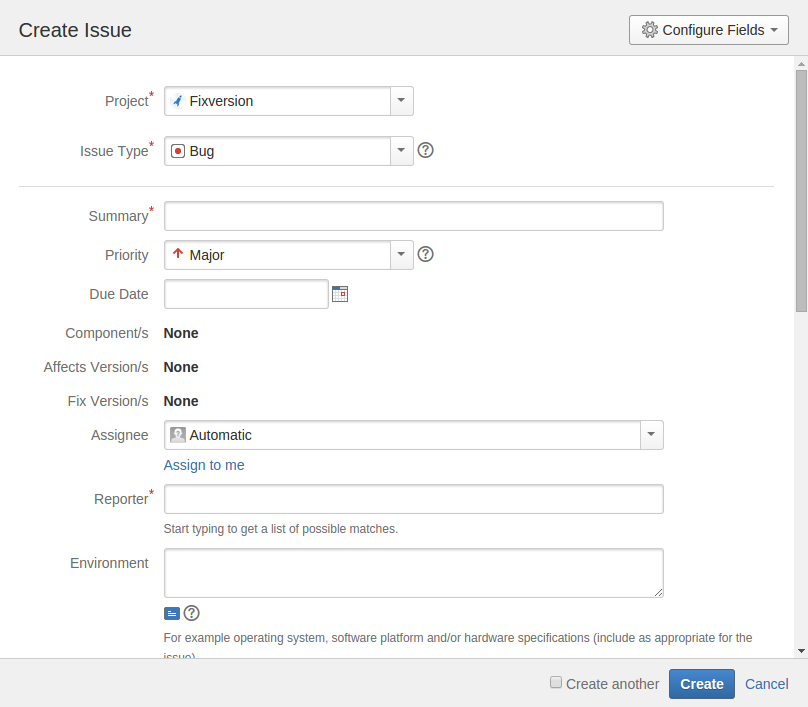
Scenario: The “Gift Wrap” Feature Release at LuxCart
- Company: LuxCart, a fictional e-commerce website based in Luxembourg.
- Team:
- Priya: The Product Manager.
- David: A Developer.
- Alex: The Team Lead / Release Manager.
- Goal: Ship the new “Gift Wrapping” feature and a critical bug fix in next week’s release.
- Release Cadence: Weekly releases, every Wednesday.
Phase 1: The Situation (Monday, August 18, 2025 – Morning)
Priya, the Product Manager, has two top priorities for the week:
- Launch the highly requested “Gift Wrapping” option before the upcoming holiday season.
- Fix a critical bug where the “Pay Now” button sometimes disappears on mobile devices, causing lost sales.
The development team is ready to start, but needs a clear, focused plan.
Phase 2: Planning & Scoping (Monday, August 18, 2025 – Afternoon)
Demonstration Step: Alex, the Team Lead, goes to the “Releases” section in their Jira project.
- He clicks “Create version”.
- He names the version with a clear convention:
v1.8.0 (2025-08-20). He sets the release date for this coming Wednesday.
Now, in the planning meeting, Priya and Alex review the backlog. They identify the tickets that must be in this release and assign them to the new Fix Version:
LC-234[Story]: “As a user, I want to add gift wrapping to my order.” -> SetFix Versiontov1.8.0 (2025-08-20)LC-235[Task]: “Update database schema to support gift wrap preference.” -> SetFix Versiontov1.8.0 (2025-08-20)LC-219[Bug]: “Checkout button disappears on mobile after applying a discount code.” -> SetFix Versiontov1.8.0 (2025-08-20)
Result: The scope is now locked in. Anyone in the company can look at this version in Jira and know exactly what is planned for Wednesday’s release. There is no ambiguity.
Phase 3: Execution & Tracking (Tuesday, August 19, 2025)
Demonstration Step: David, the Developer, starts his day.
- He opens the team’s Kanban board in Jira, which shows dozens of tickets in the backlog.
- To eliminate noise, he clicks the Quick Filter button labeled “Current Release” (which is configured to show
fixVersion = "v1.8.0 (2025-08-20)"). - The board instantly updates to show only the three issues for the Gift Wrap release.
- He grabs the bug fix,
LC-219, and drags it from the “To Do” column to “In Progress”.
Meanwhile, Priya checks her Release Dashboard. The “Issue Statistics” gadget for v1.8.0 automatically updates to show: To Do: 2, In Progress: 1, Done: 0. She can see progress without interrupting the team.
Phase 4: Release Day (Wednesday, August 20, 2025 – Morning)
The team finishes their work. All three issues are now in the “Done” column on the board. The code is tested and successfully deployed to the live website.
Demonstration Step: Alex performs the final action in Jira.
- He navigates to the Releases page and clicks on version
v1.8.0 (2025-08-20). - He sees the progress bar is at 100% and all associated issues are marked as Done.
- He clicks the “Release” button.
Jira archives this version, marking it as complete. The Fix Version field on those three issues is now a permanent record of when they were delivered.
Phase 5: Communication & Reporting (Wednesday, August 20, 2025 – Afternoon)
Demonstration Step: Priya needs to inform the Marketing and Customer Support teams about what just changed on the website.
- Instead of manually writing a list from memory, she navigates to the now-released version
v1.8.0in Jira. - She clicks the “Release Notes” button.
- Jira instantly generates a formatted summary.
She copies and pastes the output into an email:
Subject: Website Update: Gift Wrapping is Live!
Hello team,
Our weekly website update is now live. Here’s what was included:
New Features
[LC-234]As a user, I want to add gift wrapping to my order.
Bug Fixes
[LC-219]Checkout button disappears on mobile after applying a discount code.
Thank you,
Priya
Conclusion of the Demonstration
This scenario perfectly illustrates how Fix Version serves as the central pillar for a structured release process, providing:
Automation in reporting.
Clarity in planning.
Focus for the development team.
Visibility for stakeholders.
Your Turn to Tame the Chaos
Stop treating releases like a frantic scramble. Start using the Fix Version field for its true purpose: to bring order, clarity, and predictability to your entire delivery cycle.
Read more about it on https://support.atlassian.com/jira-cloud-administration/docs/manage-versions/
Was it helpful? please leave a comment.
Discover more from Nikhil Emmanuel's Blog
Subscribe to get the latest posts sent to your email.